A Zcash acquisition notebook
Know what
your ZEC cost.
Trace your wallet movements. Find your average acquisition price. Keep the research on your Mac.
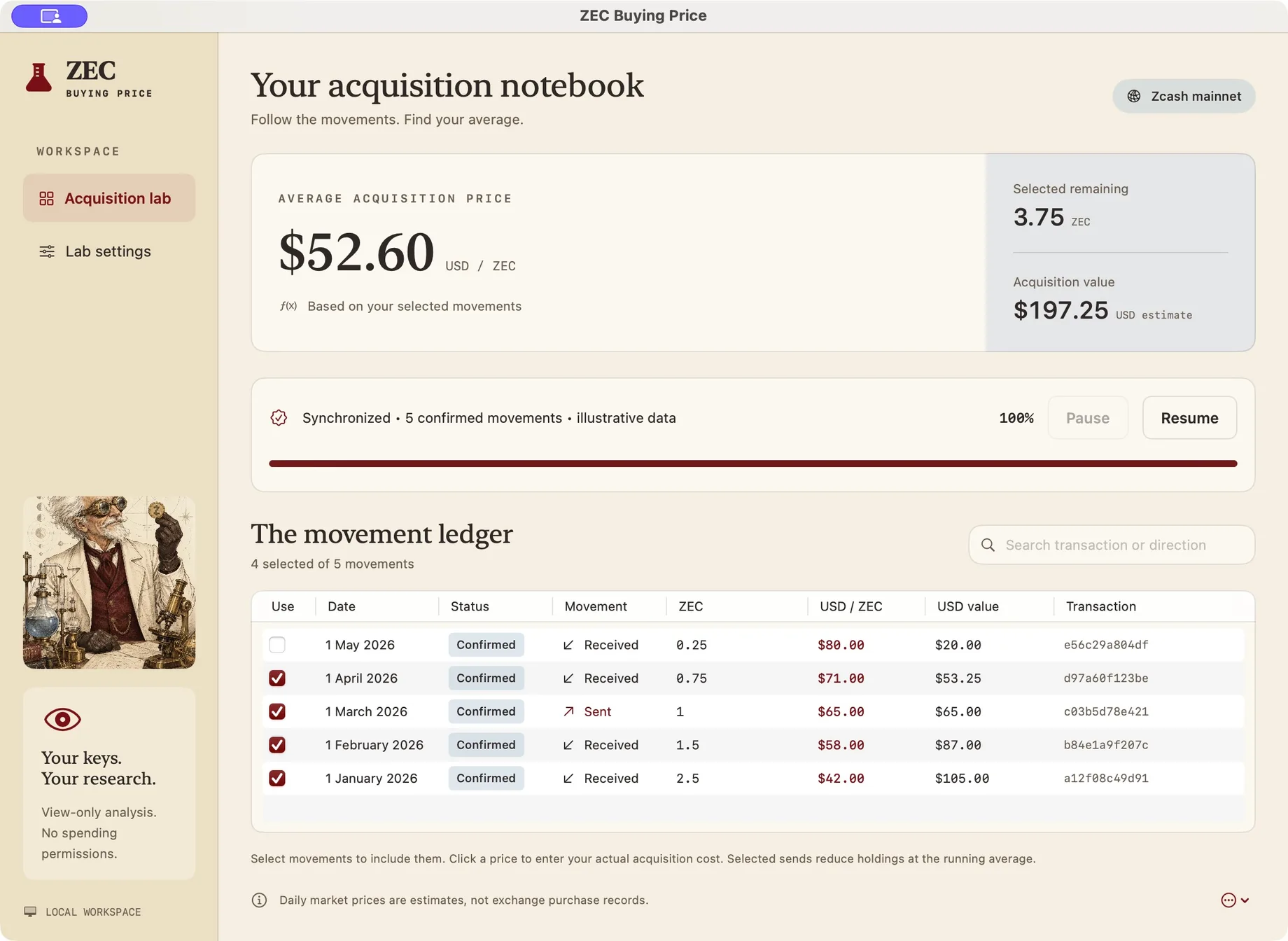
Your balance tells one story.
Your acquisitions tell another.
A wallet balance doesn’t tell you what you paid. ZEC Buying Price follows selected receipts and sends to estimate the acquisition value of what remains.
Read the calculation →Daily market prices are estimates.
Your actual records can replace them.
A small tool.
A traceable number.
Choose the movements
that belong.
Include or exclude confirmed receipts and sends. Your selected ledger stays distinct from your wallet balance.
 See the setup guide →
Your price,
when you have it.
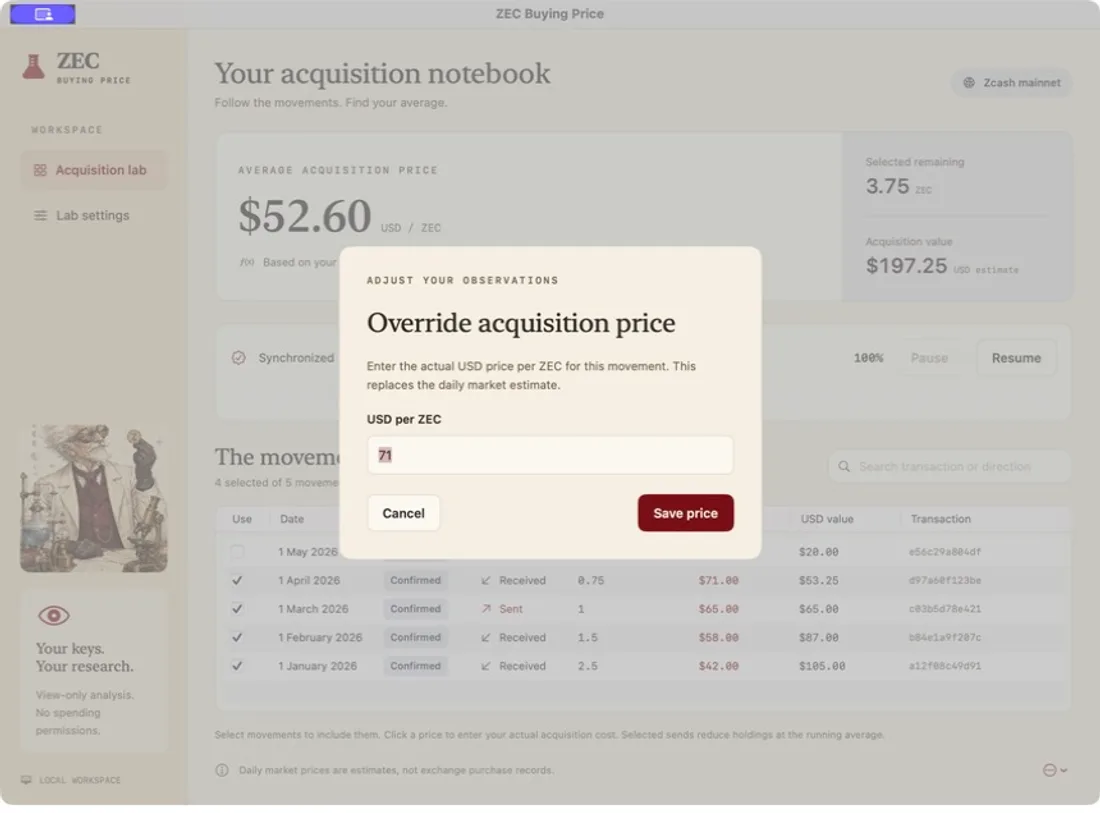
Replace a daily CoinGecko observation with the actual USD price per ZEC from your purchase record.
Receipt or purchase? →View the history.
Keep spending keys out.
Import a Unified Full Viewing Key. The app stores it in Keychain and does not sign transactions.
Understand the data flow →From viewing key to notebook.
- 01
Connect
Import a mainnet viewing key and set a birthday before your wallet’s first activity.
- 02
Scan
Fetch covered wallet history through your configured TLS lightwalletd endpoint.
- 03
Review
Check selections and prices. A complete average waits for complete inputs.
Field notes
All guides ↗How to calculate your average Zcash buying price
Add acquisition value as ZEC arrives. Remove it proportionally when ZEC leaves. The order of those movements matters.
Zcash tracker alternatives for acquisition research
Choose by the records you have and the question you need answered, from a local wallet average to a broader reporting workflow.
What a Zcash viewing key reveals in a local tracker
A viewing key grants visibility without spending authority. That makes it useful for research, but it still deserves careful handling.
Before you download.

Open your acquisition notebook.
Free development build for Apple Silicon Macs.