
Set up ZEC Buying Price on your Mac
Install the Apple Silicon development DMG, import a mainnet Unified Full Viewing Key, choose a birthday, and review acquisition prices.
Install the development build
Download .dmg, open the disk image, and drag ZECBuyingPrice into Applications. Version 0.1.0 requires an Apple Silicon Mac and macOS 14 or later. It is ad hoc signed and not notarized.
macOS may block the first launch. After checking the source and checksum, use the application-specific Open Anyway option in System Settings → Privacy & Security if available. Follow Apple’s guidance for opening apps from outside the App Store. Managed Macs may prevent this. Do not disable Gatekeeper globally.
Import a viewing key
Obtain a mainnet Unified Full Viewing Key using your wallet’s supported export method. Paste it into the app’s setup screen. A public receiving address is not a UFVK. The app does not request a seed phrase or spending key.
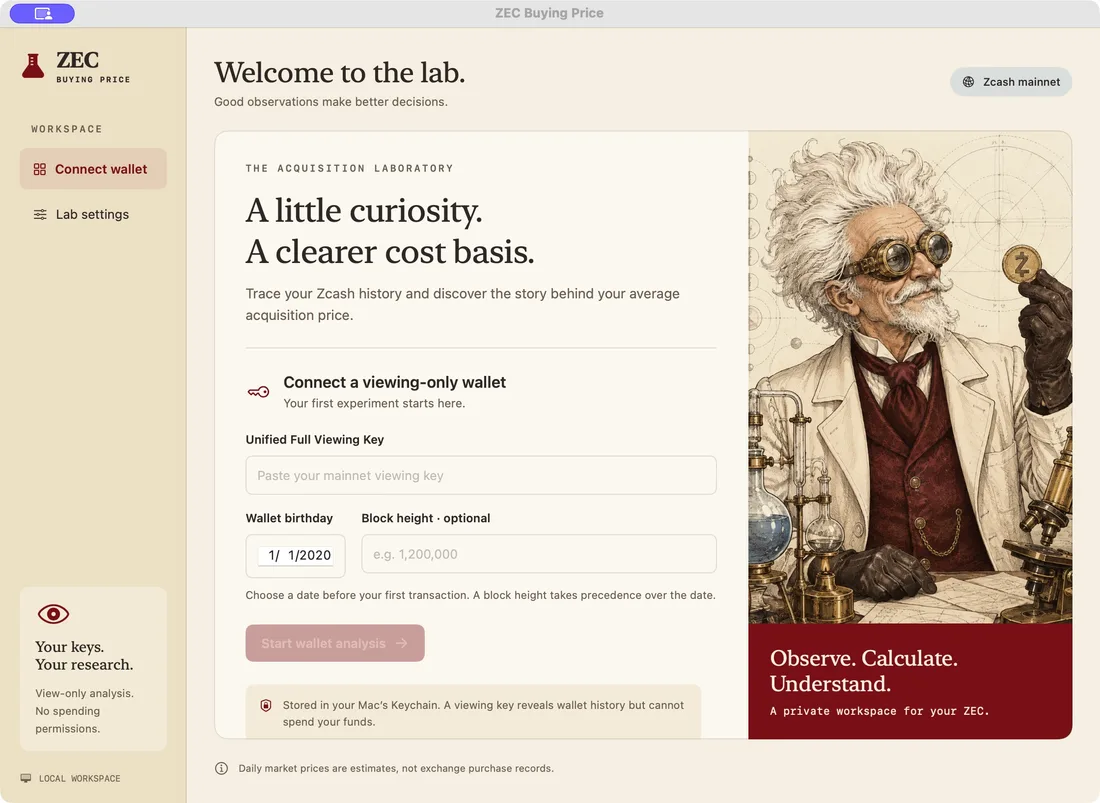
Choose the wallet birthday
Set a date before the wallet’s first activity. If you know a suitable birthday block height, the optional height takes precedence. The SDK uses available checkpoints, so scanning may begin earlier than the date or height you enter.
Check network and price settings
In Settings, review the TLS lightwalletd endpoint. The default is zec.rocks:443. You can also configure optional CoinGecko Demo or Pro API access. Older history may require paid access or manual prices.
Start scanning, then review
Start the scan. The full average is withheld while synchronization or required receipt pricing is incomplete. Check each movement’s inclusion checkbox, then click its USD-per-ZEC price to enter an actual acquisition price where you have a record.
Do not interpret the screenshot’s synthetic data as a completed scan for your wallet. Read incomplete-result troubleshooting if inputs remain unresolved.
Keep your research private
The viewing key and optional API key are saved in Keychain. Local scan state and choices live under ~/Library/Application Support/ZECBuyingPrice/. A viewing key reveals financial history, even without spending authority. Read privacy and network behavior before sharing logs or screenshots.